Home > All EMR Software
 3
3
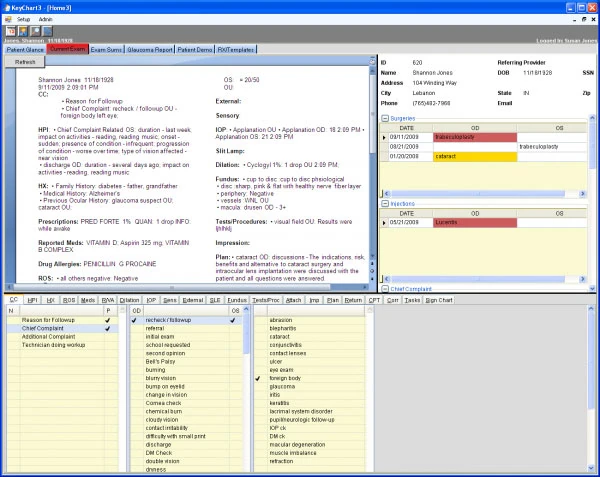
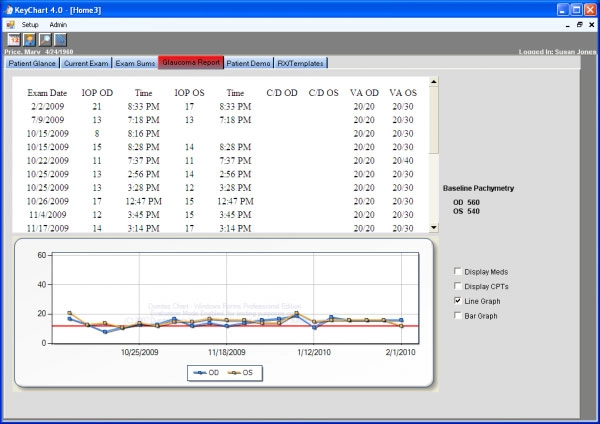
Developed exclusively for the ophthalmology practices, KeyMedical’s Electronic Medical Records (EMR) solution KeyChart® automates tasks such as developing referral letters, writing prescriptions and creating chart pulls. Analyzing the exam documentation created by physicians, the software automatically recommends appropriate eye code and E&M code and keeps practices from under coding medical examinations.
KeyChart® allows providers to have electronic access to a patient’s medical records through a virtual private network (VPN). The Electronic Medical Records can be integrated with KeyMed™, the company’s Practice Management solution and KeyOptical™, an inventory and eyeglass dispensing software. If a physician wishes to buy all these solutions they can opt for the KeyMedical KeySuite™.
To the buyers of KeyChart®, KeyMedical promises:
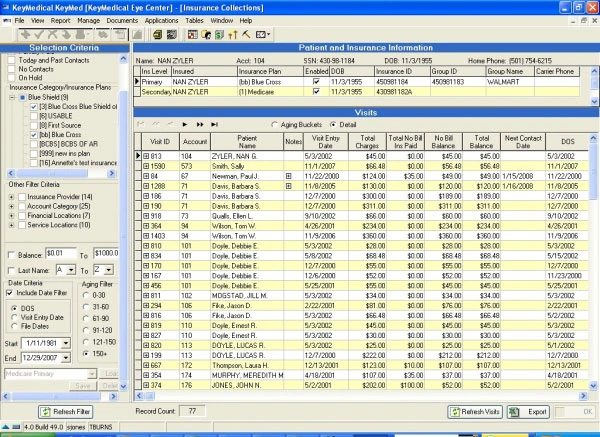
KeyMedical Practice Management Software KeyMed™ features include:
KeyMedical’s E-Prescribing module KeyScribe™ is an Internet-based system that works with KeyChart® as well as KeyMed®. The system includes all workflow support and connectivity features needed by practice and features drug formularies from 4500 health plans including Medicare Part D. KeyScribe™ offers:
Overall
Ease of Use
Customer Support
Functionality
Pros: Instead of requiring clinic staff to adjust to standard EMR formats, it integrates clinical documentation, eye-specific charting, imaging data, and optical orders in a way that feels natural for eye care processes. The ease of storing and viewing test results, visual fields, OCT, and imaging reports as it is facilitates quicker decision-making.
Cons: While KeyChart is well matched to eye care, the interface feels a bit dated compared to newer cloud-based systems, and some screens take extra clicks to navigate.
Verdict: KeyChart Ophthalmology EMR System concentrates on the duties that eye care providers perform on a daily basis, which results in more efficient patient visits and improved documentation.
Marcus, ClearView Eye Clinic
Feb, 2026
Overall
Ease of Use
Customer Support
Functionality
Pros: The software is easy to navigate for basic tasks and makes documentation a lot faster for my team. The layout is quite clean and does not feel overwhelming even during busy hours. It is nice that patient history is stored in an organized way that can be accessed quickly.
Cons: Sometimes the system lags and freezes which interrupts workflow. It could use better integration with other diagnostic tools.
Verdict: KeyChart works well for everyday use but the technical glitches can be frustrating.
Sarah, Vision Plus Clinic
Jan, 2025
Overall
Ease of Use
Customer Support
Functionality
Pros: The software is very intuitive and simplifies patient management. It makes it easier for my staff to find patient details quickly and allows for better communication within the team. It has been reliable for the most part.
Cons: Occasional crashes during peak hours can cause delays which is a big downside.
Verdict: It is a solid choice for clinics that want basic but reliable EMR software.
Emily, Family Eye Care Clinic
Dec, 2024
Overall
Ease of Use
Customer Support
Functionality
Pros: The software has a good range of features for patient tracking and managing prescriptions. It works smoothly on most days and has a user-friendly design that is good for staff who are not very tech-savvy. It reduces a lot of paperwork which I really appreciate.
Cons: The learning curve was difficult for the first few weeks. Reports take too long to generate sometimes.
Verdict: Overall it is useful but there are some areas where it could be improved.
Anil, Retina Care Associates
Nov, 2024
Showing 1 - 4 of 8